
Plan your day
myDailyTasks
Give tasks, appointments and recurring routines a place in your day. Turn the things that matter into a plan you can follow.
Explore myDailyTasks myBudgetCanvasGet support
 A calmer view of household money
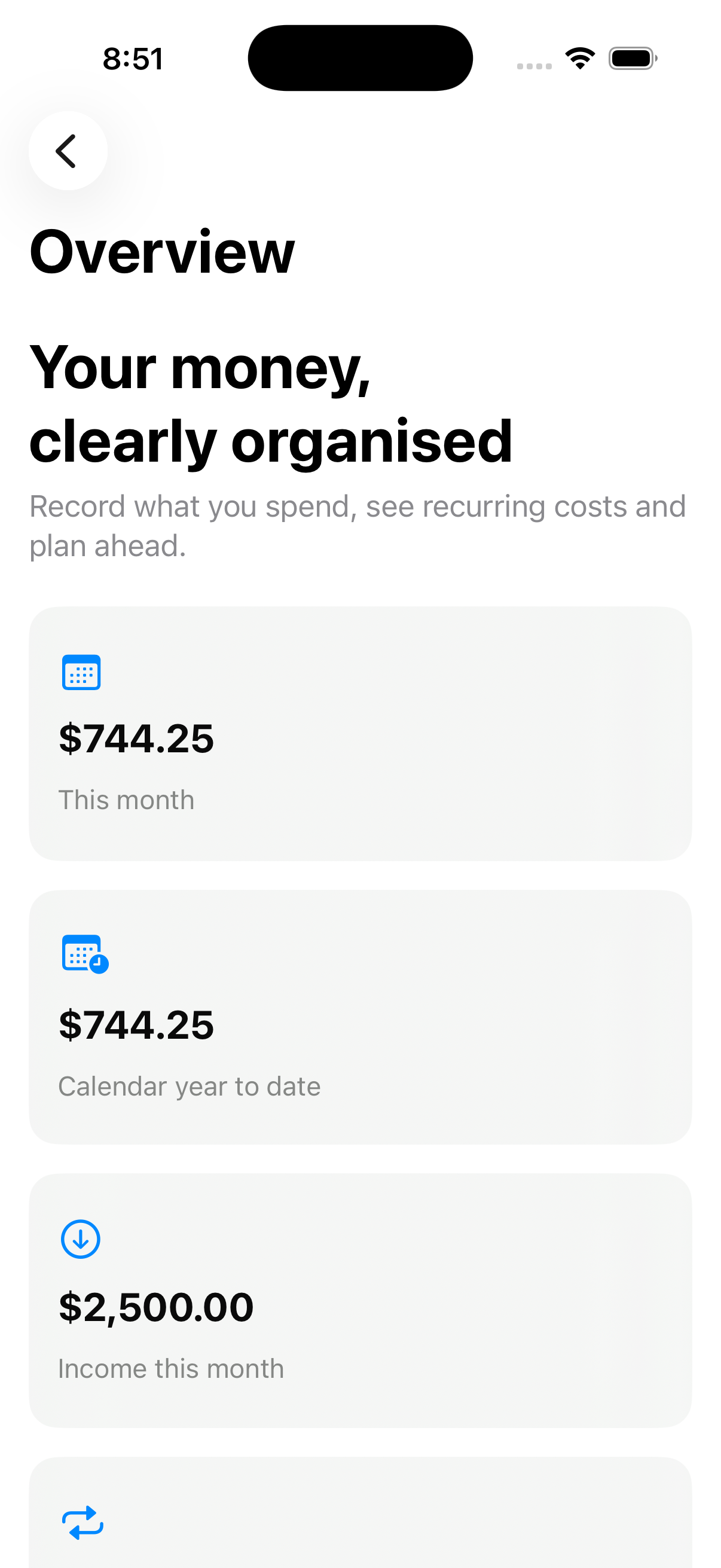
Bring spending, income, budgets, recurring costs and useful trends onto one clear canvas—without turning personal budgeting into accounting.
In active development for iOS 17+ and macOS 14+
Three apps for everyday life
Use each app for what it does best. Bring selected reminders into your daily plan, while keeping health records and household finances in their own apps.
Plan your day
Give tasks, appointments and recurring routines a place in your day. Turn the things that matter into a plan you can follow.
Explore myDailyTasks
Record your health
Keep readings, medications, food and everyday health notes together. Review your records and prepare for healthcare conversations.
Explore myHealthRoutine In development
Understand your money
Bring household spending, income, budgets and recurring bills into view. See what is planned and what you have actually paid.
See myBudgetCanvas featuresPlan a blood-pressure check in myDailyTasks, then open myHealthRoutine to record it. In compatible versions, saving the reading completes the linked check without sending measurement values to your planner.
With compatible builds, export bill reminders from myBudgetCanvas and review them in myDailyTasks before adding tasks. Completing a task does not record a payment in your budget.
Version 1.0
myBudgetCanvas is deliberately focused on personal and household decisions. It is not a business accounting, tax, BAS, CGT or financial-advice product.
Record everyday expenses and income with clear dates, categories and cleared or pending status.
Set category targets and see when spending is on track, approaching a limit or over budget.
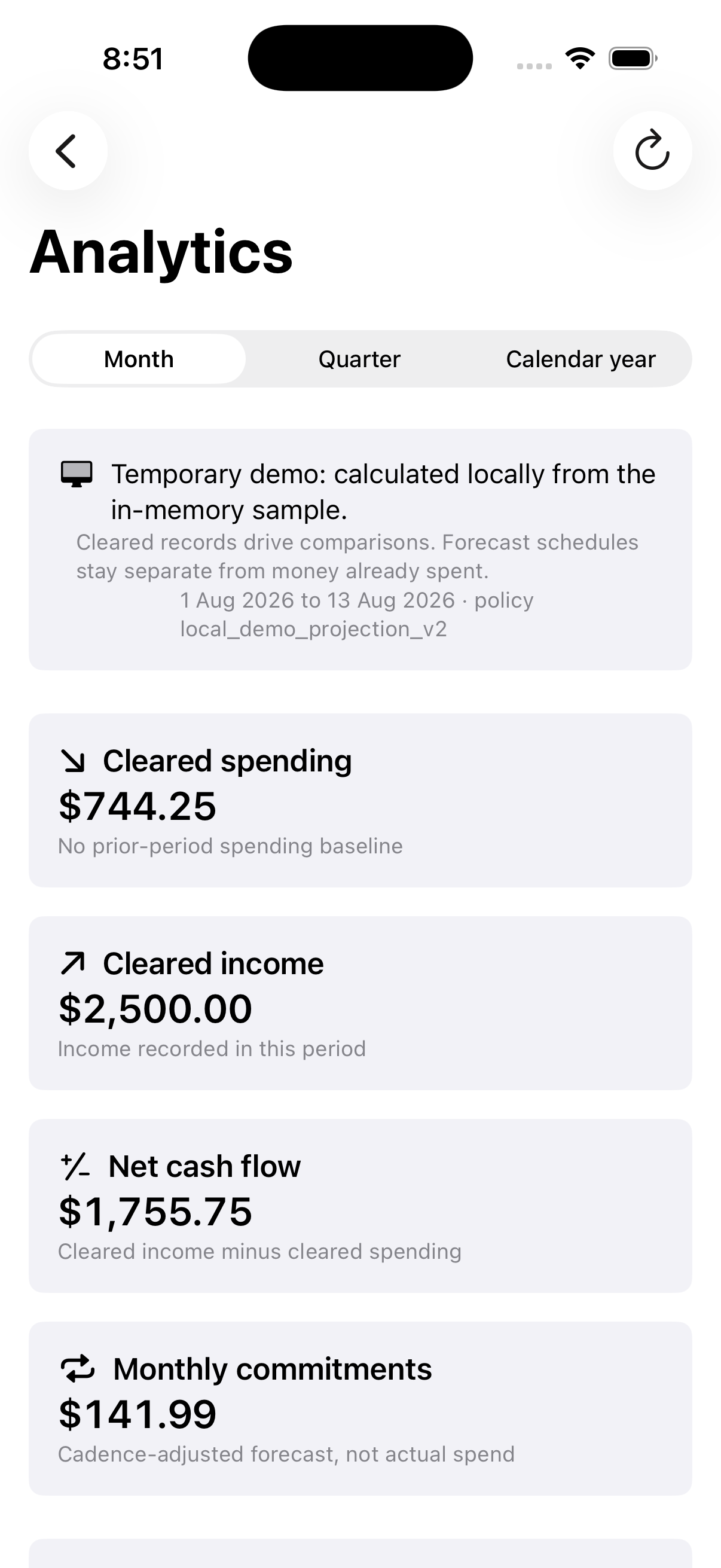
Compare equal periods and read cash flow, category movement, recurring share and weekday patterns.
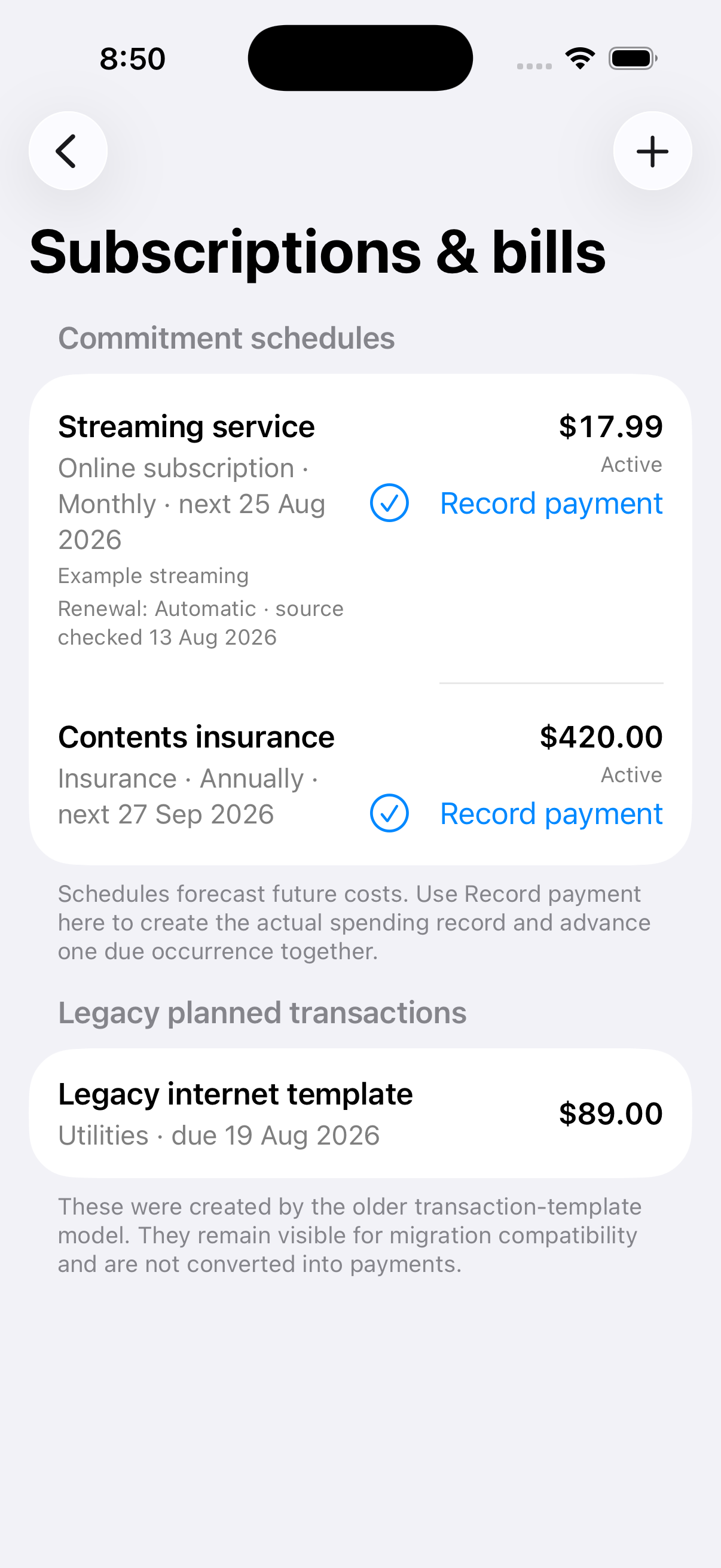
Enter each bill’s amount, due date and payment frequency, then record actual payments when they happen.
Allocate a record to a primary home, secondary home or rental property without turning the app into a tax tool.
Start with eight main categories and choose a subcategory. Shared choices help you organise each bill under the heading you prefer.
Give each property and car a distinct name, then keep its mortgage, insurance, registration and other bills together.
Choose from 30 video streaming services and opt in to App Store reviews every 7, 30 or 90 days.
Plan household reminders and keep the forecast distinct from an actual payment record.
New in the current app build
Insurance, utilities, mortgages, cars, subscriptions, health and home costs—with Rental when you need it. Choose the heading that suits you, then record each bill once.
Explore the categoriesComing to installed apps in a future update.
Analytics that answer real questions
Version 1.0 derives decision-ready signals from an aggregate-only response. Merchant names, notes, attachments and record identifiers are not part of the analytics payload.
Understand the analyticsDesigned around reality
Recurring commitments help you anticipate what is coming. They affect actual totals only when you record or link a real payment, keeping the picture honest and avoiding double counting.
Explore bills & subscriptions